Best Free Productivity Apps: IAM Rate vs the Top 5
There are hundreds of to-do and time tracking apps. Most of them say they are simple. Many are not. In this post, we compare six free apps side by side so you can pick the right one in a few minutes.
We make IAM Rate, so we put it first. We'll be honest about the other apps too. Each one is good at something, and the best app is the one you will keep using.
Here are the apps we compare:
- IAM Rate (Daily Task Tracker)
- Todoist
- TickTick
- Microsoft To Do
- Toggl Track
- Clockify
The first three are mainly to-do list apps. Toggl Track and Clockify are mainly time trackers. IAM Rate sits in the middle. It gives you a to-do list and a time log on the same page. If you just want the short answer, jump to the comparison table.
How we picked these apps
We looked for apps that one person can use for free to plan a day or track time. Each app on this list has a free plan you can use for as long as you like. We left out big team tools that need a lot of setup before you can add your first task.
We checked each app's own website and pricing page in October 2026. Free plans change often, so check the app's site before you decide.
1. IAM Rate: simple task and time tracking for one person
IAM Rate, also called Daily Task Tracker, is a free to-do list and time log on one page. When you finish a task, you write its name, the time it took and a category. That's it. There are no projects, clients or tags to set up, and no timer to start and stop.
You can start without an account. Open the app and add your first task in a few seconds.
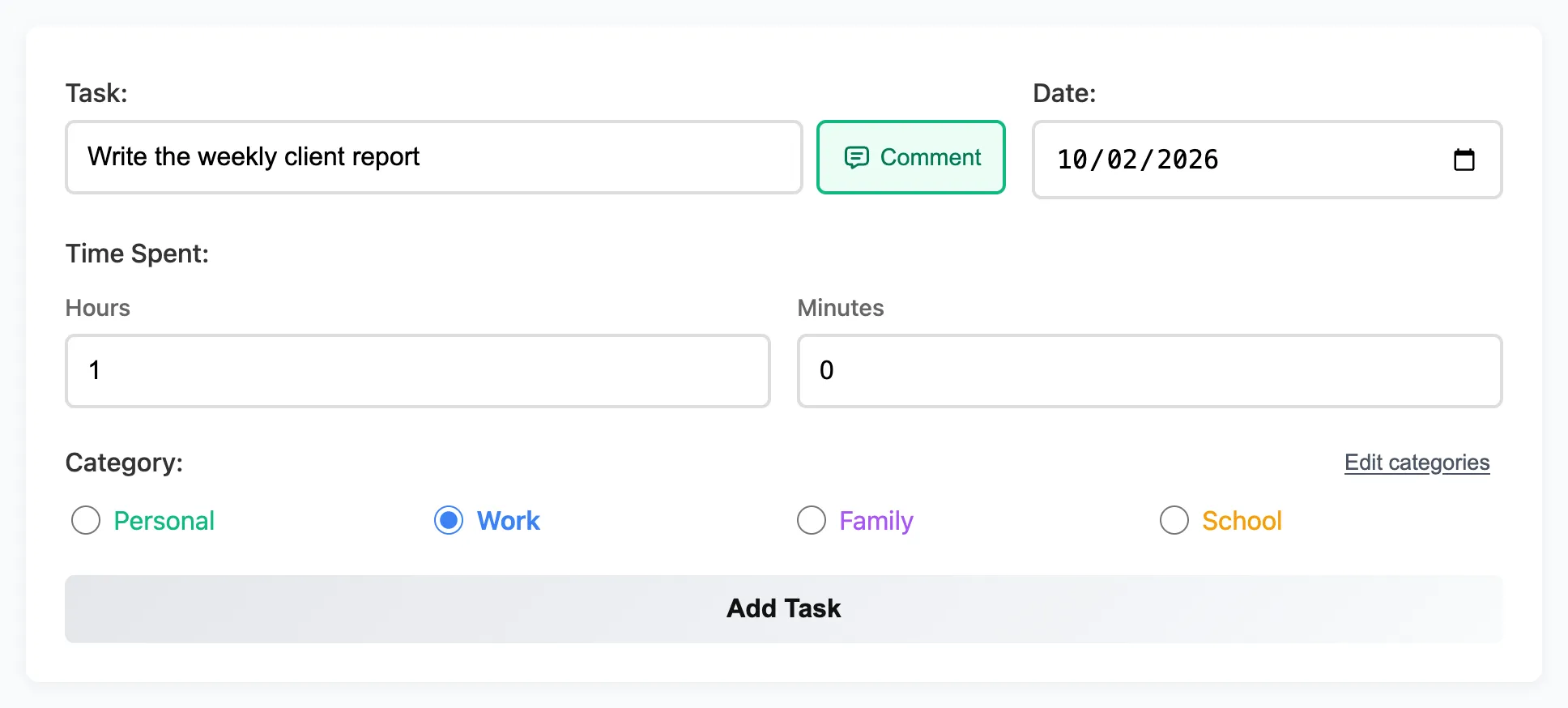
Below are the features you won't find together in the other apps on this list.
Your tasks in plain text and in a spreadsheet
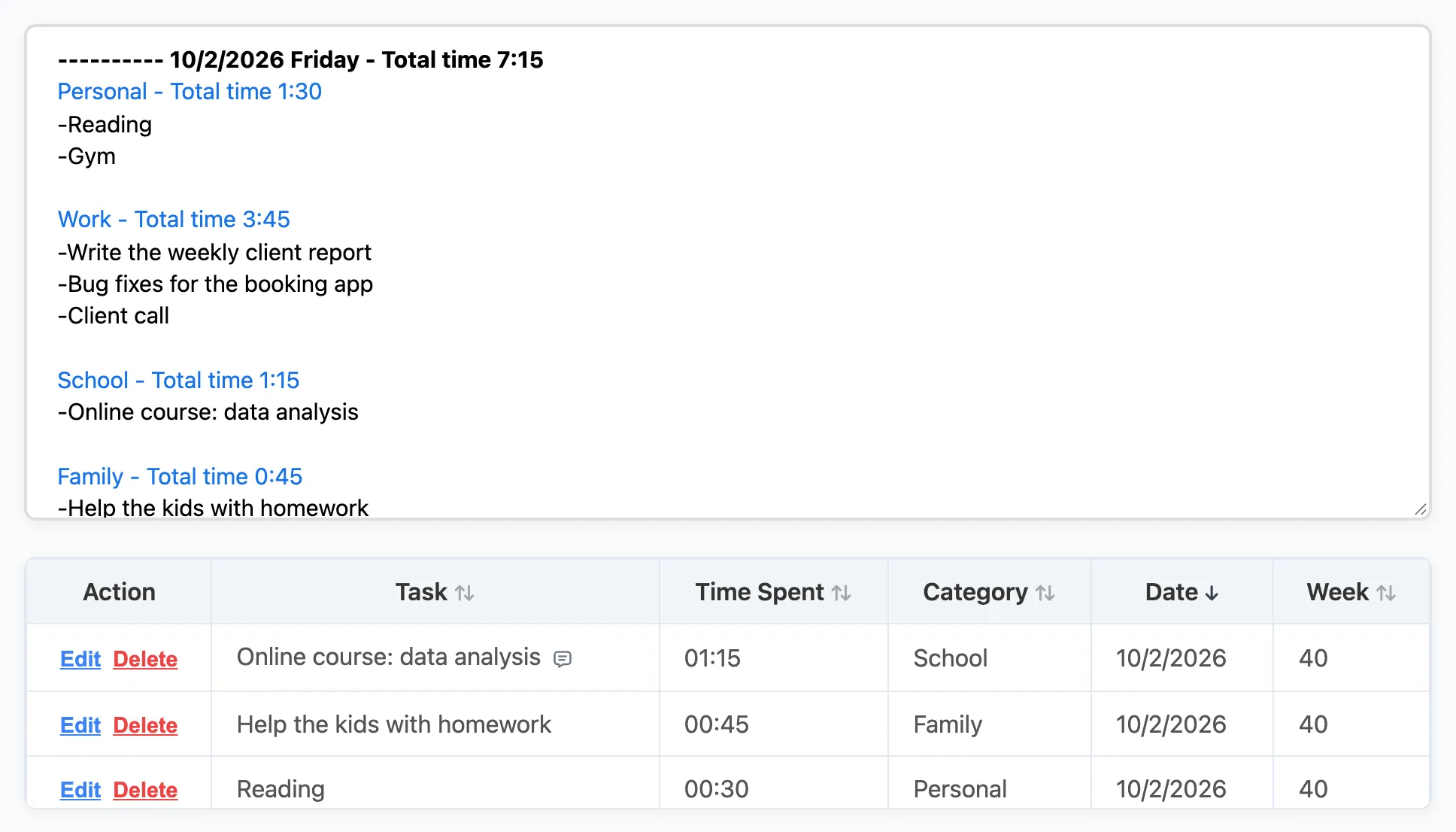
Every task you log shows up in two places. The Recorded Tasks box shows your work as plain text, grouped by day and by category. Each day and each category shows its total time. You can copy it into an email, a chat or a text file with no cleanup.
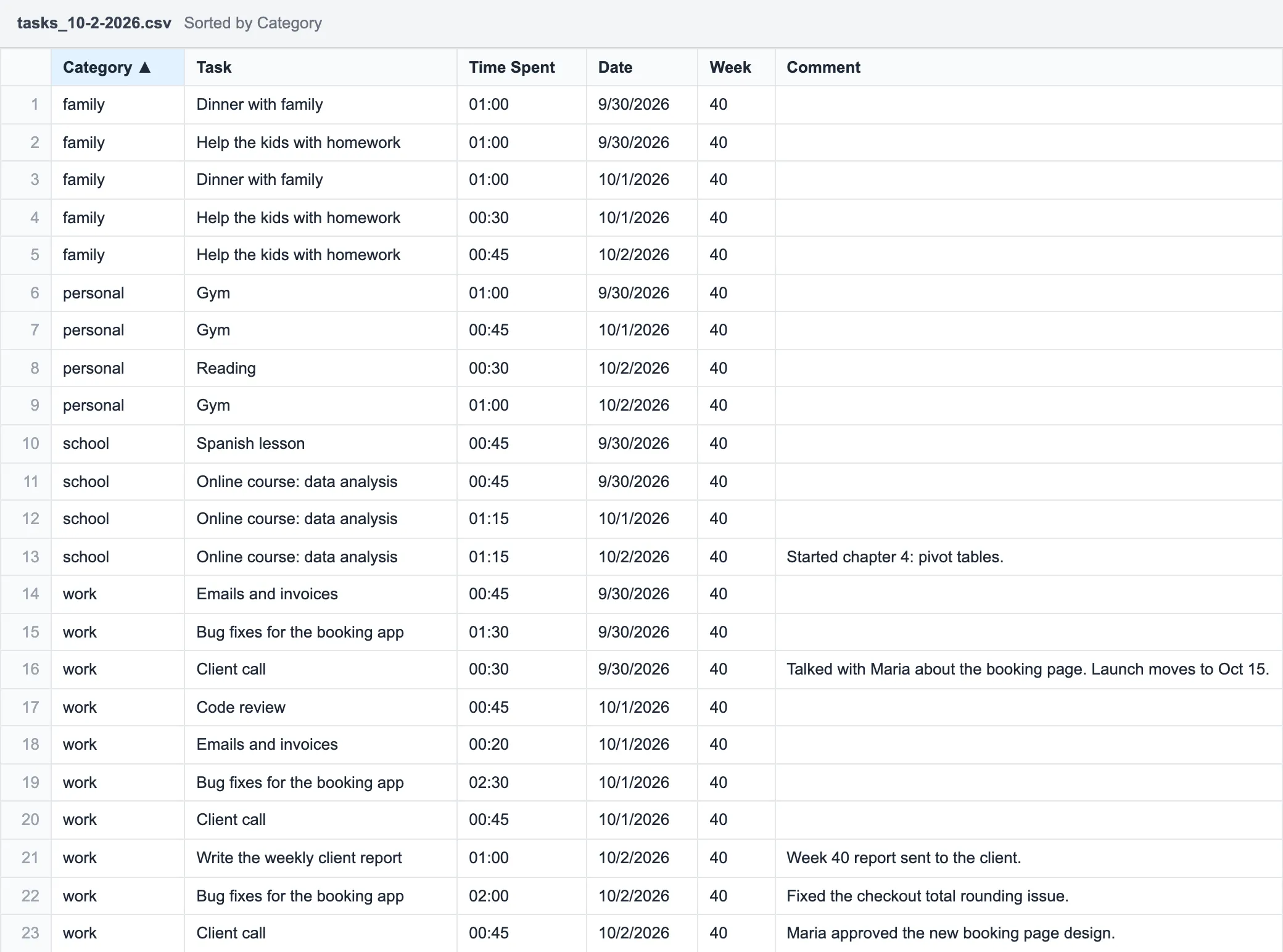
The Download CSV button saves all your tasks in one file. Open it in Excel, Google Sheets or Numbers. Sort by category, add up the time, and you have a timesheet. This makes weekly and monthly reports very easy.
Category names you choose
IAM Rate starts with four categories: Work, Personal, Family and School. You can rename them to anything you like, such as a client's name, a class or a side project. Each category keeps its own color in the charts. This makes it easy to group tasks and see the total time for each group.
See your habits and your biggest tasks
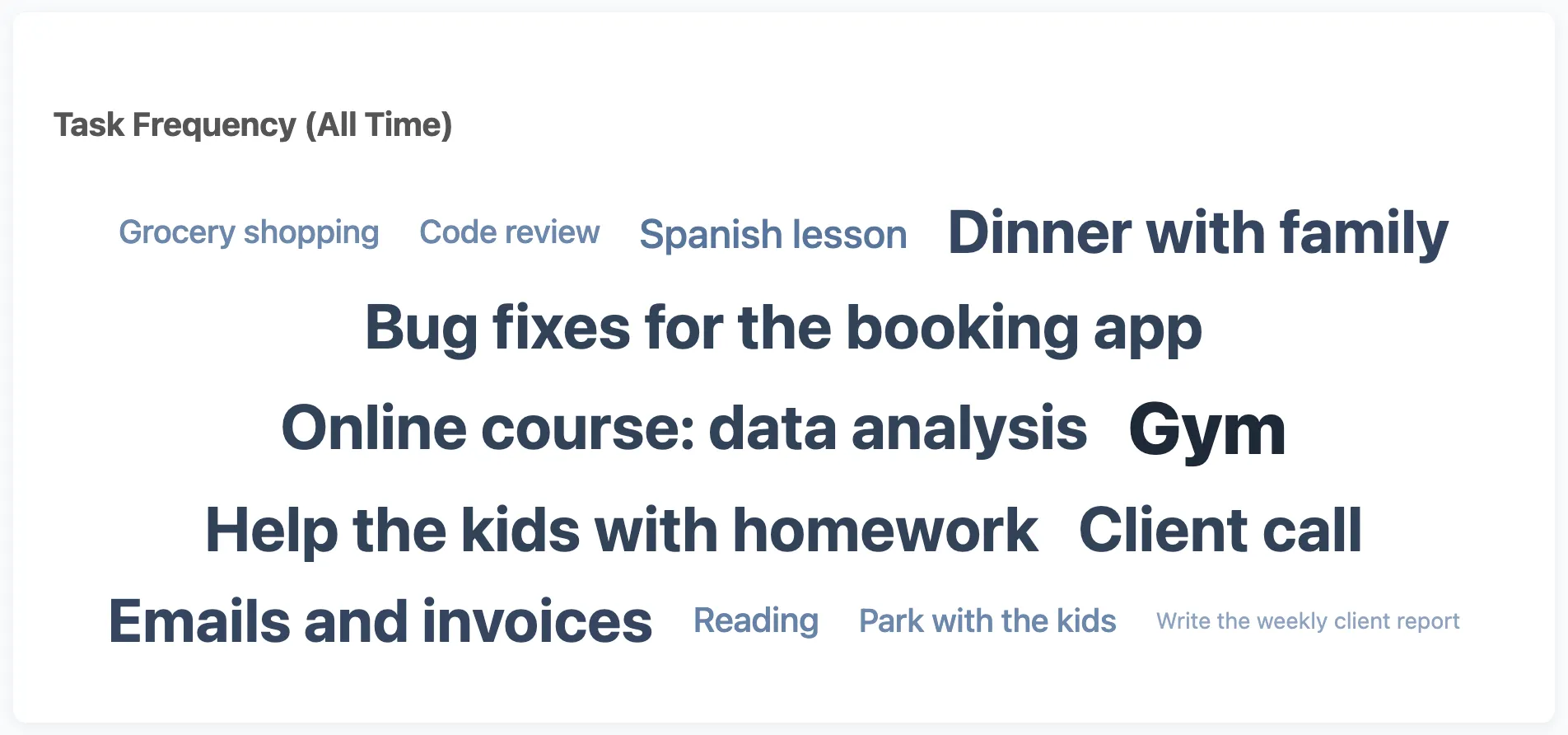
The Task Frequency cloud shows the tasks you repeat most. The more often you log a task, the bigger it looks. The Today view of the Time Report ranks your tasks by time, so you can see which tasks took most of your day.
A time log that helps you focus
If you have ADHD or find it hard to stay on one thing, a time log can help. You pick one task, work on it and write down the time when you're done. It's a small habit, but it keeps your attention on one task at a time. At the end of the day, you see what you really did, not what you think you did.
We wrote more about this in IAM Rate for freelancers, students and people with ADHD.
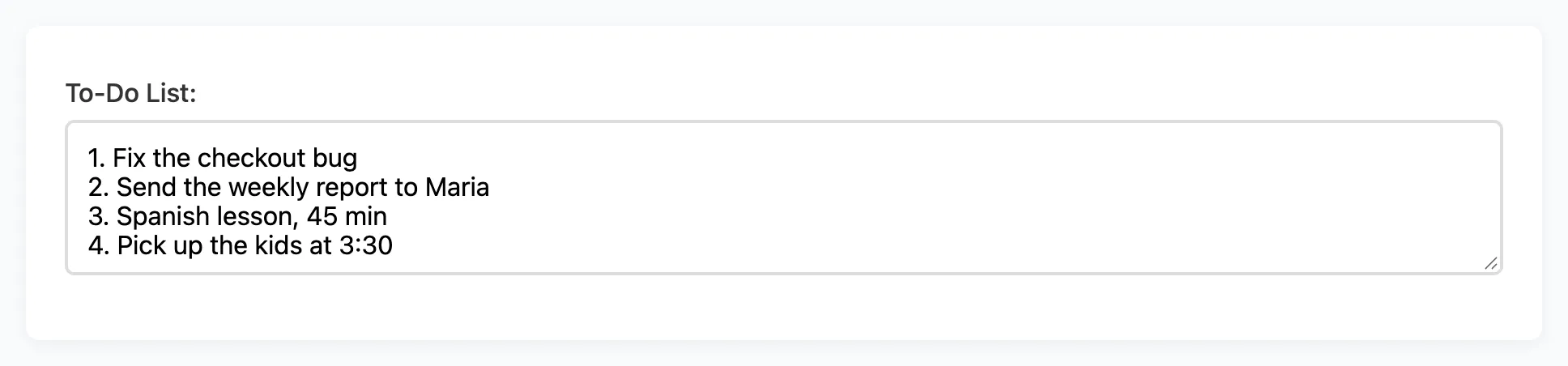
A to-do list that saves while you type
The To-Do List box saves by itself as you type. There's no Save button to forget. Because it's a simple text box, you can write it your way. Put a deadline in front of each task, like "Fri: send invoice". Move lines up or down when your priorities change. Add or remove a task in a second.
Comments that keep your list clean
Want to add more details about a task? Click the Comment button and write a note of up to 500 characters. The note stays with the task, but it doesn't crowd your main list. You see a small speech bubble in the table, and the full note goes into the CSV file.
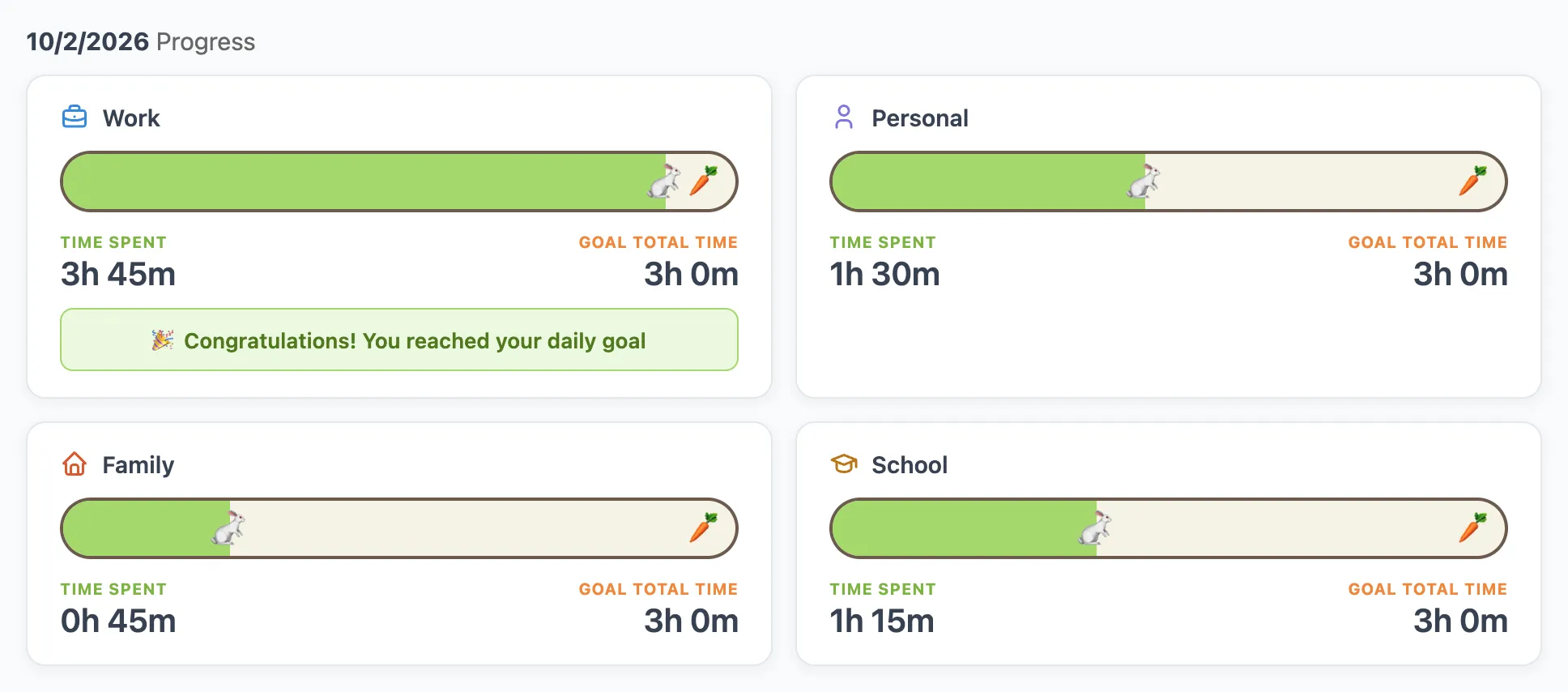
Daily goals for each category
The progress cards show one rabbit for each category. You choose how much time you want to spend on each category every day. As you log time, the rabbit runs toward its carrot. When it gets there, you've reached your goal for the day. It's an easy way to make sure you give enough time to work, study and family.
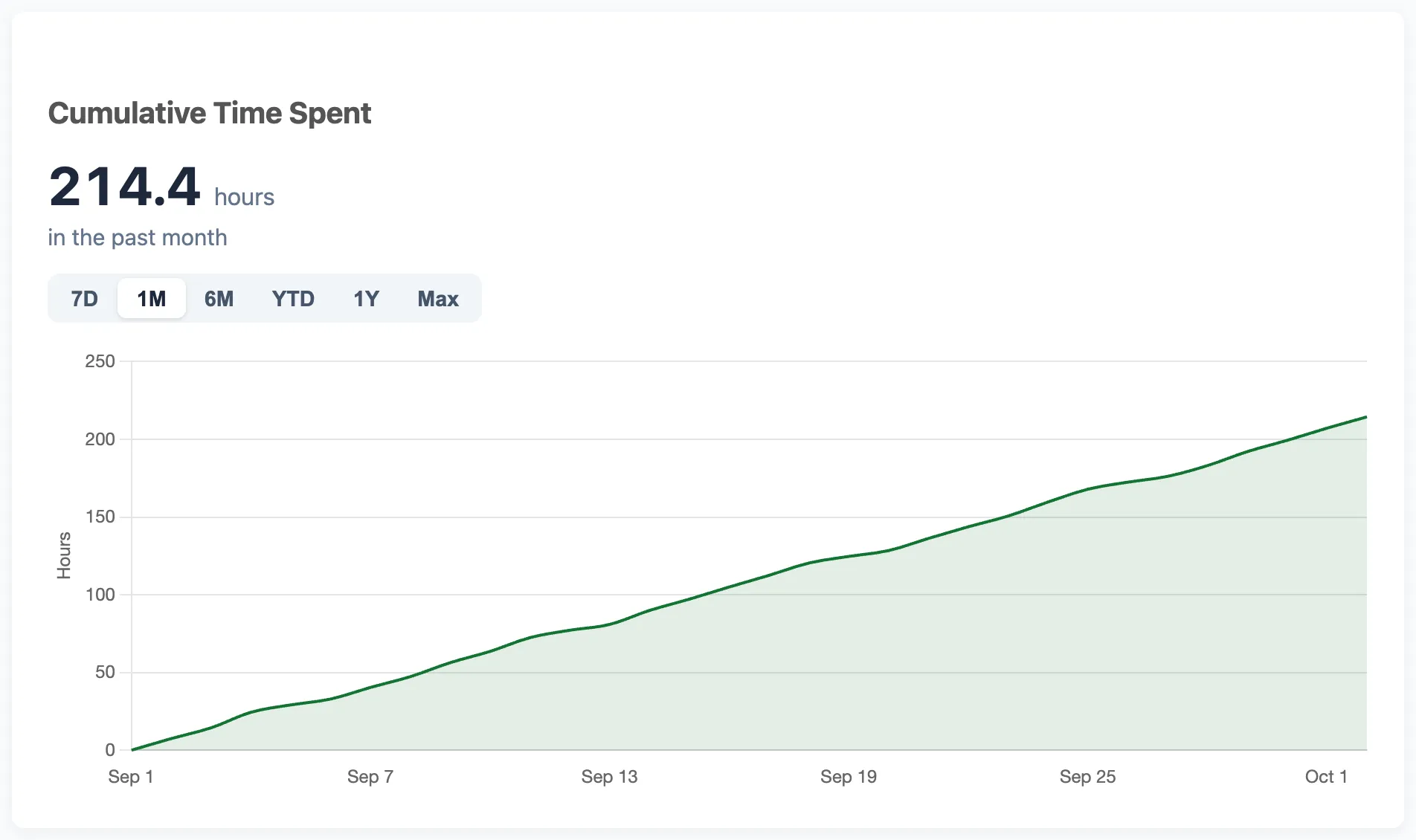
A chart that shows how productive you are
The Cumulative Time Spent chart adds up your hours over the past week, month, year or all time. The line goes up as you work. On a day when you feel you did nothing, this chart shows you the real picture.
Your data, your choice
- Keep it on your device. The free guest mode saves your tasks in your browser only. You don't need an account or an email address.
- Or use it everywhere. An account costs $18 a year ($1.50 a month). Your tasks then sync across your phone, laptop and tablet.
- Safe by design. The site uses HTTPS, and account passwords are stored encrypted.
- Easy to leave. Download your data as a CSV file anytime. Reset all your tasks or delete your account from the menu with a few clicks or taps. When you do, your data is removed from our servers right away. We don't keep a copy in the app. The only exceptions are our disaster recovery backups, which are kept for up to 90 days, and the payment records Stripe must keep by law.
Best for: one person who wants to plan the day, log time without a timer, and make simple reports.
Not ideal for: big teams that need to assign tasks to each other.
2. Todoist: a popular to-do list app
Todoist is one of the best known to-do apps. You type a task like "Call Sam tomorrow at 3pm" and it sets the date for you. It has projects, labels, priorities and repeating tasks. It works on phones, computers and the web.
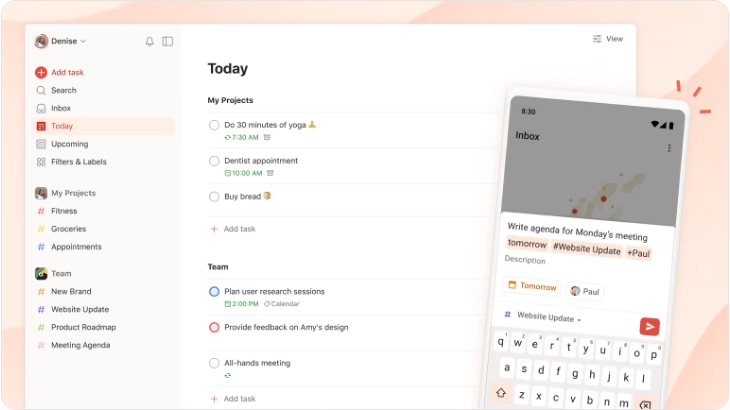
The free plan gives you 5 personal projects, 3 filter views and one week of activity history. Task duration is a paid feature, and Todoist doesn't track time on its own. You can export one project at a time as a CSV file. Full backups are only in paid plans.
Good at: fast task entry, due dates and repeating tasks.
Missing compared to IAM Rate: no time log, no time totals by category, and no daily time goals.
3. TickTick: to-do list with a focus timer
TickTick is a to-do app with extras. It has lists, a calendar, a habit tracker and a Pomodoro focus timer. Many people like it because it does a lot in one app.
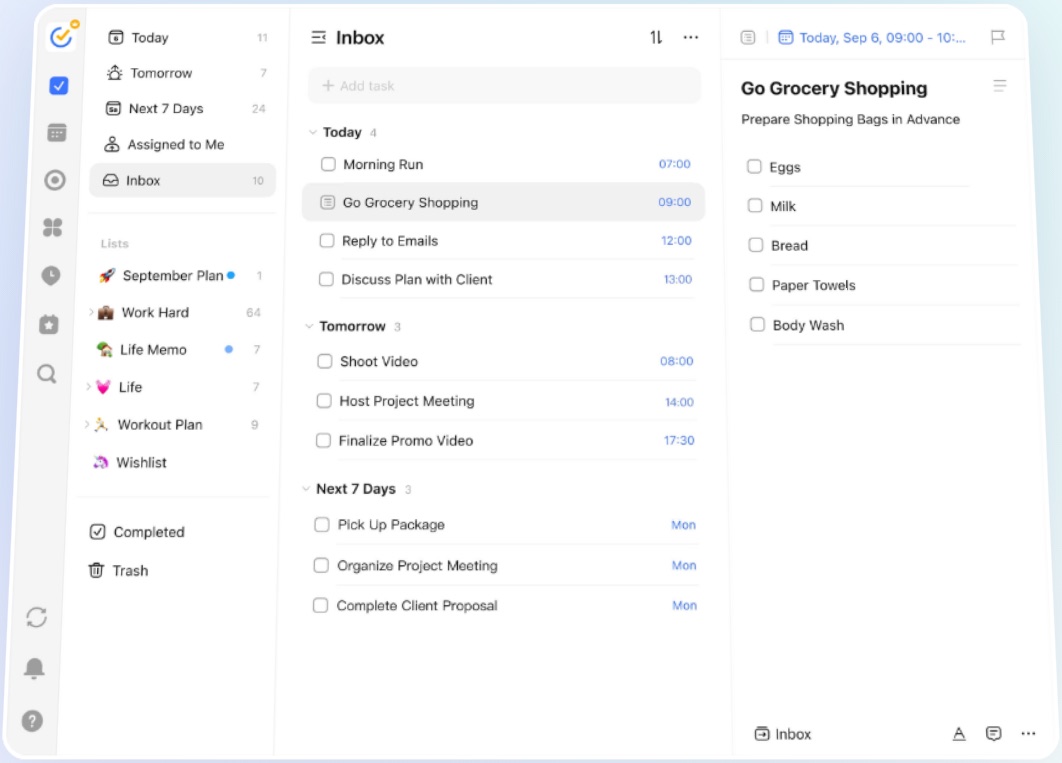
The free plan has limits. You get up to 9 lists, 99 tasks per list, 5 habits and 2 reminders per task. Statistics are basic, and task duration is a Premium feature. Premium costs $49.99 a year. You can make a CSV backup from the settings on the web version.
Good at: mixing tasks, habits, a calendar and a focus timer.
Missing compared to IAM Rate: no plain text log of finished work, no time totals for your own categories, and a lot of menus to learn.
4. Microsoft To Do: free and simple lists
Microsoft To Do is a clean list app. It's free with a Microsoft account. The My Day list helps you choose what to do today. You can add due dates, reminders, small steps and notes to each task. It syncs with Outlook tasks.
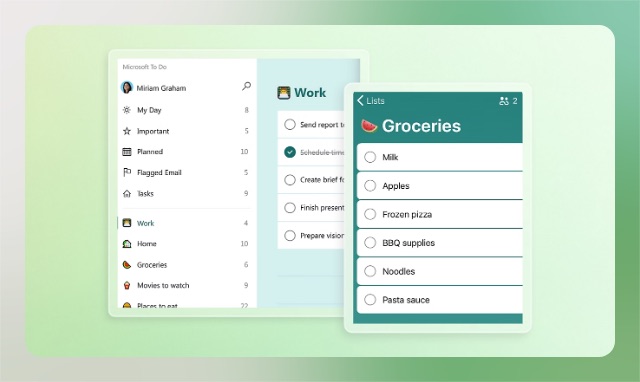
It's a good list app, but it stops there. It doesn't track time, it has no charts, and it has no built-in CSV export.
Good at: simple, free lists, especially if you already use Outlook.
Missing compared to IAM Rate: no time tracking, no reports, and no way to download your tasks as a spreadsheet.
5. Toggl Track: a time tracker with a timer
Toggl Track is a well known time tracker. You press start when you begin a task and stop when you finish. You can also add time by hand. It has reports, a Pomodoro timer and apps for web, desktop and phone.
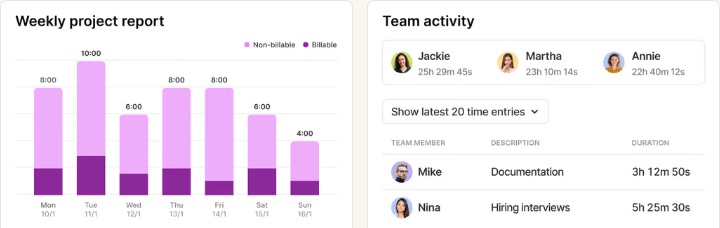
The free plan is for one person or a very small team. You need an account to start. Toggl is built around projects and clients, and its paid plans start at $9 per user per month when billed yearly. It doesn't have a real to-do list for planning your day.
Good at: timing work with a start and stop button, and project reports.
Missing compared to IAM Rate: no auto-saving to-do list, no daily goal for each category, and a timer you have to remember to stop.
6. Clockify: free time tracking for teams
Clockify is a time tracker and timesheet app. The free plan lets you track as much time as you want, with as many projects as you want. It has a timer, a timesheet, a calendar and a Pomodoro timer.
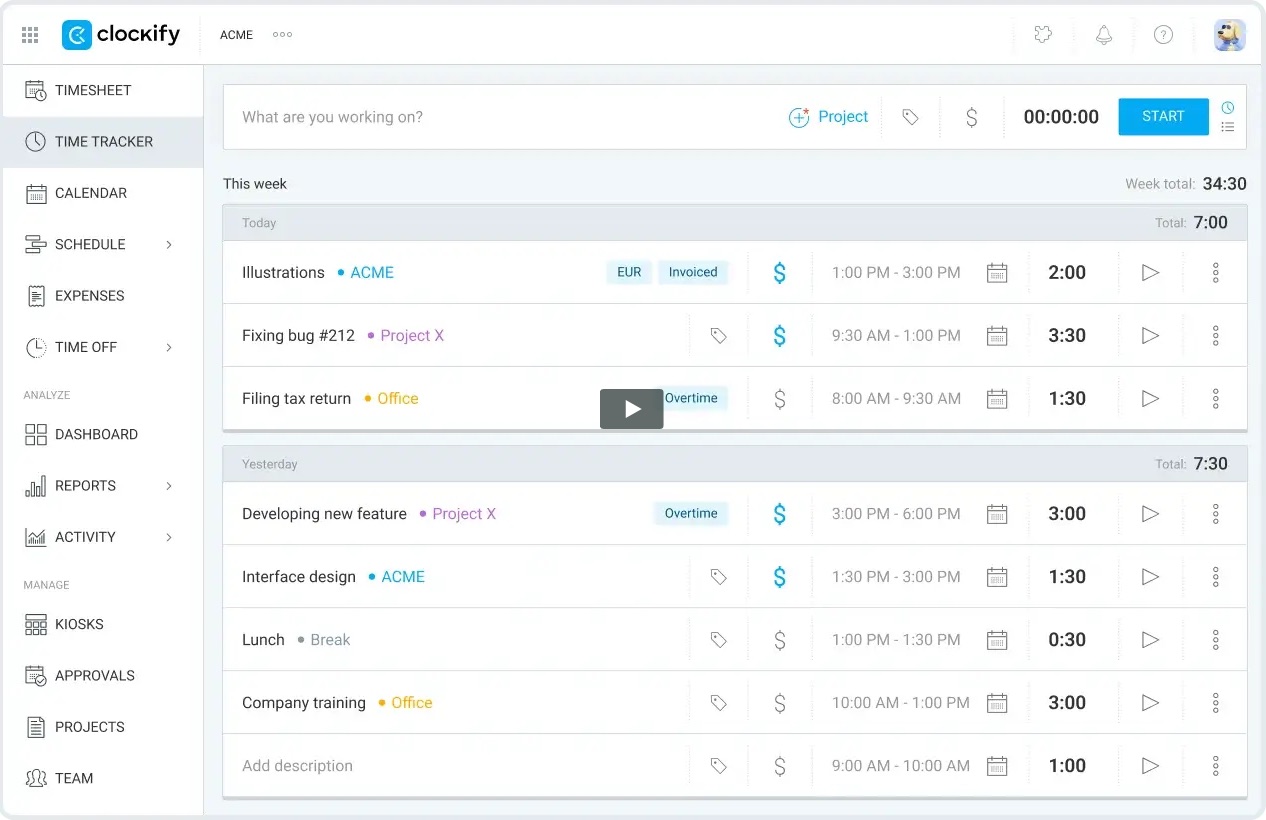
Clockify is made for teams and businesses, and it shows. The menu has items like Kiosks, Approvals, Expenses and Time Off. On the free plan, reports cover up to one month at a time. You can export your data as a CSV or Excel file. You need an account to start.
Good at: free, unlimited time tracking and timesheets.
Missing compared to IAM Rate: no to-do list, no plain text log, and much more to learn if you only want to track your own day.
Feature comparison table
Here is how the six apps compare on their free plans. On a phone, swipe the table to the side to see every app.
| Feature | IAM Rate | Todoist | TickTick | Microsoft To Do | Toggl Track | Clockify |
|---|---|---|---|---|---|---|
| Free plan | Yes, every feature | Yes, with limits | Yes, with limits | Yes | Yes, with limits | Yes, with limits |
| Start without an account | Yes | No | No | No | No | No |
| Keep data only on your device | Yes | No | No | No | No | No |
| To-do list | Yes, saves as you type | Yes | Yes | Yes | Basic tasks | No |
| Log time for each task | Yes, no timer needed | No | Focus timer | No | Yes | Yes |
| Your own category names | Yes | Projects and labels | Lists and tags | Lists | Projects and tags | Projects and tags |
| Total time for each category | Yes | No | Basic stats | No | Yes | Yes |
| Daily time goal for each category | Yes | No | No | No | No | No |
| Most repeated tasks | Yes | No | No | No | No | No |
| Running total of hours chart | Yes | No | No | No | Reports | Reports |
| Notes on tasks | Yes, 500 characters | Yes | Yes | Yes | Description only | Description only |
| Finished work as plain text | Yes | No | No | No | No | No |
| Download as CSV | Yes, all tasks in one click | One project at a time | Backup from web settings | No | From reports | Yes |
| Sync across devices | With account | Yes | Yes | Yes | Yes | Yes |
| Paid plan from | $18 a year | Pro plan | $49.99 a year | None, it's free | $9 per user a month | $3.99 per user a month |
Which app should you choose?
- Choose IAM Rate if you want a to-do list and a time log in one place, with nothing to set up. It's the best fit if you write weekly or monthly reports, want daily goals, or need help staying focused.
- Choose Todoist if you have many future tasks with dates and you don't need to track time.
- Choose TickTick if you want tasks, habits and a calendar in one app and you don't mind learning its menus.
- Choose Microsoft To Do if you only need free lists and you already use Outlook.
- Choose Toggl Track or Clockify if you bill clients by the hour and like a start and stop timer, or your team needs shared timesheets.
The best productivity app is the one that's easy enough to use every day.
You can try IAM Rate right now with a real day of work. Open the app, write your to-do list and log one task. You don't need an account. When you want your tasks on all your devices, you can create an account.
Try the simplest one first
Daily Task Tracker is a free to-do list and time tracker. You don't need an account to start. Your tasks save right in your browser.
Go to App